

Key takeaways
- Find the best ergonomic executive chairs for long workdays with our guide to lumbar support, seat depth, armrests, recline, materials and fit for home offices.
As an Amazon Associate we earn from qualifying purchases.
An executive chair that looks impressive in a home office can still leave you shifting in your seat by mid-afternoon, so the real decision is not about leather, stitching or a tall back alone. You need a chair that keeps your spine in a comfortable, supported position while you type, read, join video calls and switch between tasks, hour after hour, without forcing your shoulders forward or your lower back into a hollow curve.
This guide is written for remote workers who spend most of the day at a desk, managers setting up a proper home office, taller or broader sitters who struggle with standard chairs, and anyone replacing a basic task chair with something more substantial. It explains the features that matter most for long workdays, how to judge fit before you buy, and the trade-offs between leather, mesh and fabric executive models.
How to Choose
Choosing well starts with fit, not brand names or showroom appeal. A chair should match your height, desk height and working posture, and it should let you change position during the day rather than locking you into one rigid pose. Before you compare models, measure your desk height, your current seat height and the space around the desk, including how far the chair needs to roll back. Note whether the floor is hard or carpeted, whether you share the desk with anyone else, and whether you mostly type, read or talk on calls. Those details decide which adjustments you will actually use. Read the sections below in order, compare chairs on the same points, and do not let a polished finish distract you from weak adjustment or poor support.
Lumbar Support That Matches Your Lower Back
Lumbar support matters because the lower back carries much of the load during seated work, and a gap behind the waist lets the pelvis roll backward over time. Look for a lumbar pad or shaped backrest that moves up and down, and ideally in and out, so it meets the natural inward curve of your spine rather than pressing on one fixed spot. A curved backrest with a clear lumbar zone tends to suit more body shapes than a flat, heavily padded panel. Sit fully back when you try it, check whether the support stays in contact when you lean forward to type, and avoid models where the pad feels like a hard bump.
Seat Depth, Width and Cushion Firmness
Seat depth decides whether your thighs are supported without pressure behind the knees, while width decides whether you can sit centred without your hips touching the armrests. A sliding seat pan is useful because it lets shorter sitters pull the seat forward and taller sitters extend it, keeping roughly two fingers of space between the seat edge and the back of the knee. The cushion should feel firm enough to hold its shape through a long afternoon, yet soft enough at the surface to avoid pressure points under the thighs. A waterfall front edge, which slopes gently downward, helps the legs when the chair is set at the right height.
Armrests, Headrest and Recline Control
Armrests should support your forearms without lifting your shoulders or pushing your elbows outward, so height adjustment is the minimum to expect and width or pivot adjustment is a useful bonus. Flip-up armrests can help when you need to slide closer to the desk or tuck the chair away, while fixed padded armrests suit people who keep the same typing position all day. A headrest helps during phone calls, reading and short breaks, especially when it adjusts for height and angle, but it should not push your head forward while you work at a screen. Recline control matters just as much, because a tilt mechanism with tension adjustment and a lock lets you lean back between tasks.
Materials, Build Quality and Weight Capacity
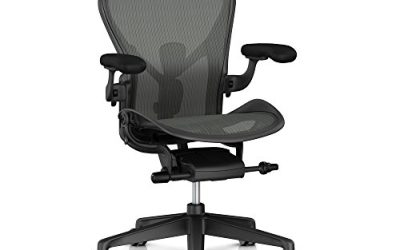
Leather executive chairs look formal and wipe clean easily, mesh chairs allow more airflow on warm days, and fabric chairs often feel warmer and less slippery in cooler rooms. None of these materials is automatically better, so judge the chair by its frame, base and moving parts as well as its upholstery. A sturdy metal base, smooth casters that suit your floor type, and a gas lift that moves without sticking are signs of a chair built for daily use. Check the stated weight capacity and seat dimensions against your own measurements, and look at how the backrest connects to the seat, because that joint takes constant load.
Which One Fits Your Situation
No single executive chair suits every desk, body shape and working pattern, so match the design to the way you actually spend the day. The situations below cover the most common home-office setups, and each one points to a different balance of support, size and material. Think about your longest stretches of sitting first, then about the parts of the day when you read, talk or move around the room. A chair that fits a quiet writing day may feel different during a day of back-to-back video calls. Use these situations as a starting point, then check the measurements and adjustment ranges of any chair you shortlist before ordering.
You Work at a Desk for Eight Hours or More
If your workday runs from morning calls to late-afternoon writing, prioritise a chair with adjustable lumbar support, a sliding seat and a recline lock for short breaks. A breathable back helps when the room warms up, while a firm cushion holds its shape better than a soft one that flattens by lunchtime. Set the seat height so your feet rest flat, keep the screen at eye level, and stand or walk between blocks of focused work.
You Are Taller or Broader Than Average
Taller and broader sitters often find standard executive chairs too narrow, too shallow or too low in the backrest, so seat width, seat depth and back height deserve close attention. Look for a wider seat pan, a taller backrest that reaches the shoulder blades, and a higher weight capacity with a reinforced base. A sliding seat helps longer legs find a comfortable thigh position, and wider armrests prevent the elbows from sitting at an awkward angle.
You Want a Formal Look for Video Calls
A leather or leather-look executive chair suits a formal home office and reads well on camera, especially in a dark, neutral colour with clean lines. Choose a high back with a neat headrest, avoid overly bulky armrests that crowd the frame on video, and check that the chair rolls smoothly so you can centre yourself without shuffling. Leather can feel warm after several hours, so consider a model with a breathable panel or keep the room ventilated.
You Share a Home Office or Have Limited Space
Shared offices and smaller rooms call for a chair that moves easily, tucks under the desk and suits more than one person. Flip-up armrests help the chair slide closer to the desk and out of the way, while a compact footprint and smooth casters make it easier to move between workstations. Choose adjustment controls that are simple to reach and clearly marked, so each user can reset seat height, lumbar position and tilt tension quickly.
Setting Up Your Chair for a Long Workday
Once the chair arrives, spend ten minutes setting it up before your first full day in it. Raise the seat until your thighs sit level and your feet rest flat, then slide the seat pan so two fingers fit between its front edge and the back of your knees. Set the lumbar pad against the small of your back, not above it, and lock the recline at a slight angle for reading. Finally, place the armrests so your shoulders stay relaxed while you type.
Common Mistakes
A few avoidable errors account for most disappointment with executive chairs, and they usually happen before the chair is even assembled. The most common one is buying on appearance alone, then discovering that the seat is too deep, the lumbar pad sits in the wrong place, or the armrests cannot be lowered enough for the desk. Another is treating assembly as a formality and skipping the adjustment stage, when a chair often needs several small changes over the first week before it feels right. Read through the list below before you order, measure your desk and your body first, and give yourself a full week to adjust the chair once it arrives. Keep the instructions nearby during that week, note what still feels off, and change one setting at a time so you can tell which adjustment made the difference.
- Buying on appearance alone and ignoring seat depth, lumbar adjustment and weight capacity, which decide comfort far more than colour, stitching or a tall backrest.
- Setting the seat too high so the feet dangle, or too low so the knees sit above the hips, instead of aiming for flat feet and a relaxed thigh angle.
- Leaving the lumbar support at its factory position and never moving it, even when the lower back feels unsupported after the first few days.
- Choosing armrests that lift the shoulders or push the elbows outward, then blaming the desk height when the real problem is armrest height.
- Skipping a trial period at your own desk and judging the chair only from a short showroom sit, which rarely reveals how it feels after several hours.
Frequently Asked Questions
These answers cover the questions buyers ask most often when they move from a basic desk chair to an ergonomic executive model. They focus on fit, adjustment and everyday use, so you can judge a chair on practical points rather than marketing language. If a question below matches your own situation, use the answer as a checklist when you compare models, and pay special attention to the adjustment ranges and seat dimensions that relate to it. A chair that answers well on paper still needs a proper trial at your own desk, so keep the points below in mind during the first week of use.
How high should an ergonomic executive chair be set?
Set the seat so your feet rest flat on the floor with your knees roughly level with your hips, and your forearms rest comfortably on the desk or armrests without lifting your shoulders. If your feet do not reach the floor at that height, use a footrest rather than lowering the chair and forcing your knees upward.
Is a leather or mesh executive chair better for long workdays?
Leather suits a formal office, feels smooth to sit on and wipes clean, but it can trap warmth during long sessions in a heated room. Mesh allows more airflow and suits warm offices, while fabric offers a warmer, less slippery surface in cooler rooms. Choose the material that fits your room temperature, cleaning habits and the look you want.
Do I need a headrest on an executive chair?
A headrest helps during phone calls, reading and short reclined breaks, especially if it adjusts for height and angle. It is less useful if it pushes your head forward while you type, so check the angle at your normal working posture. People who lean back often tend to value a headrest more than people who sit upright at a keyboard all day.
How long should an ergonomic executive chair last?
A well-built executive chair used daily should last several years, with the gas lift, casters and upholstery usually showing wear first. Look for a sturdy base, a smooth height adjustment and replaceable parts where possible, and keep the moving parts clean. If the cushion flattens, the recline sticks or the base wobbles, those are signs that the chair needs attention or replacement.
More from Amazon
Programs that pair well with the guide above. Offers and eligibility are set by Amazon and may change.
Free shipping on eligible items, Prime Video and more. Eligible new members can start with a free trial.
Start a Prime free trialA Prime membership for ages 18-24 with a trial period. Eligibility is set by Amazon.
See Prime for Young AdultsAudiobooks and podcasts to listen to on the go. Eligible new members can start with a free trial.
Try Audible freeAd-free music streaming. Eligible new subscribers can start with a free trial.
Try Music Unlimited freeAs an Amazon Associate we earn from qualifying purchases.
Write Your Review
No reviews yet. Be the first to share your experience!